If you've ever watched a deal stall because a demo wasn't ready, a logo was wrong, or a live environment threw an error at the worst possible moment, this one's for you.
Over the past few months, the Demostack team has been heads-down on a very specific problem: GTM teams lose too much time and too many deals to demo friction that shouldn't exist in the first place. Reps wait on design, SEs juggle ten versions of the same demo, and revenue leaders fly blind on what actually moves buyers.
So instead of shipping a grab-bag of features, the team focused on tightening the entire demo workflow, from build to delivery to follow-up, and built updates that solve real problems in real selling situations. Below is everything that's new and, more importantly, why it matters for your team.
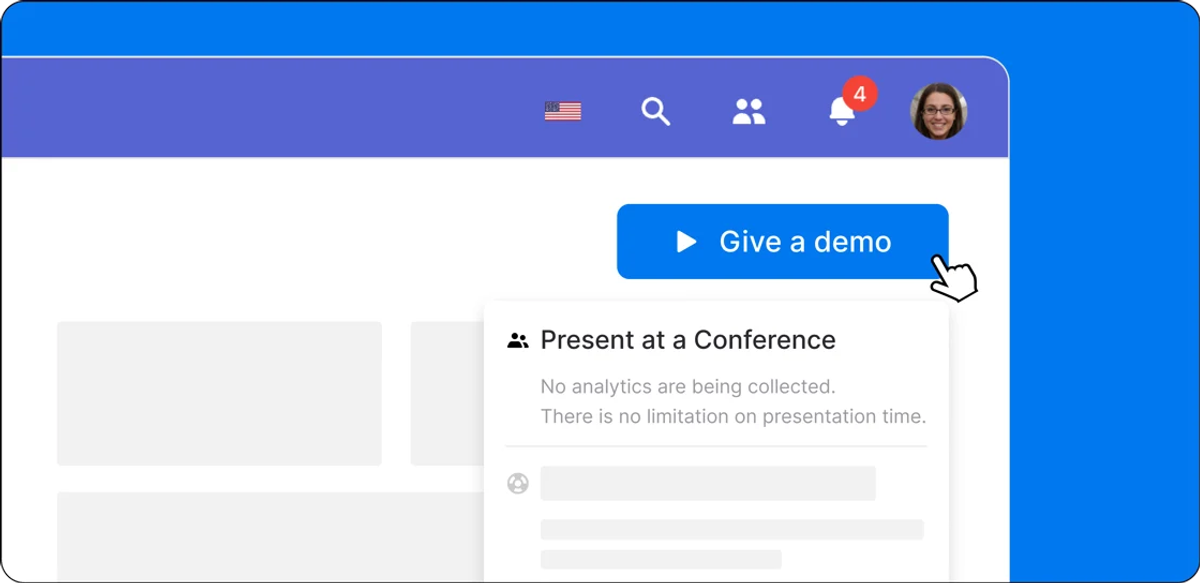
Conference Mode: Demo Anywhere Without the Noise
Trade shows and roadshows create a very different kind of pressure. You're running back-to-back sessions, you need the environment to be completely stable, and the last thing you want is analytics pinging your CRM or a system pop-up killing your flow mid-demo in front of a room of prospects.
Conference Mode solves exactly that. Enable it, and Demostack pauses analytics collection, silences background activity, and lets your team present cleanly across dozens or hundreds of sessions - whether that's a trade show floor, an internal enablement day, or an executive briefing where privacy is non-negotiable.
Teams now use it for trade shows, roadshows, internal SKOs, and high-stakes exec briefings. The setup is simple: visibility when you want it, silence when you don't.
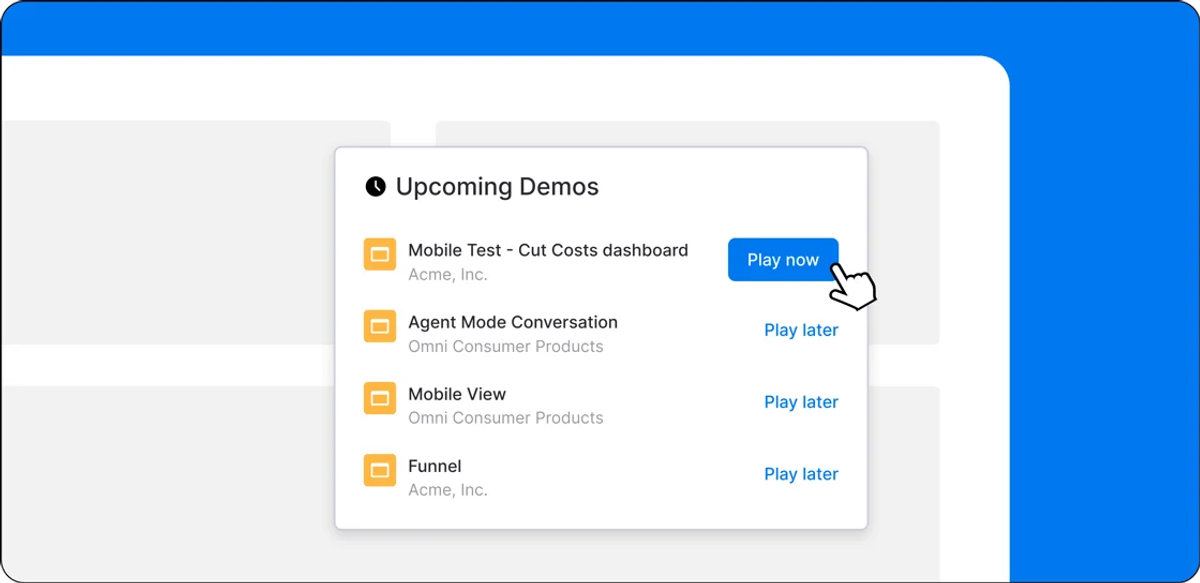
Your Demo Library, Actually Organized
As demo libraries scale, finding the right version fast becomes its own problem. Shared folders get cluttered. Reps can't easily pick up where they left off. Practice sessions don't have a clean home. And anyone who's dug through a team folder right before a call knows exactly how that feels.
The new Personalized "Play Later" Lists fix this at the individual level. Each rep sees only the demos they've saved, practiced, or modified - and can clean up their own list without touching the shared library. Important demos stay easy to find, even as the team's overall library keeps growing.
For teams juggling multiple accounts, industries, or regions, removing that friction before a call starts actually matters - even if it sounds like a small change.
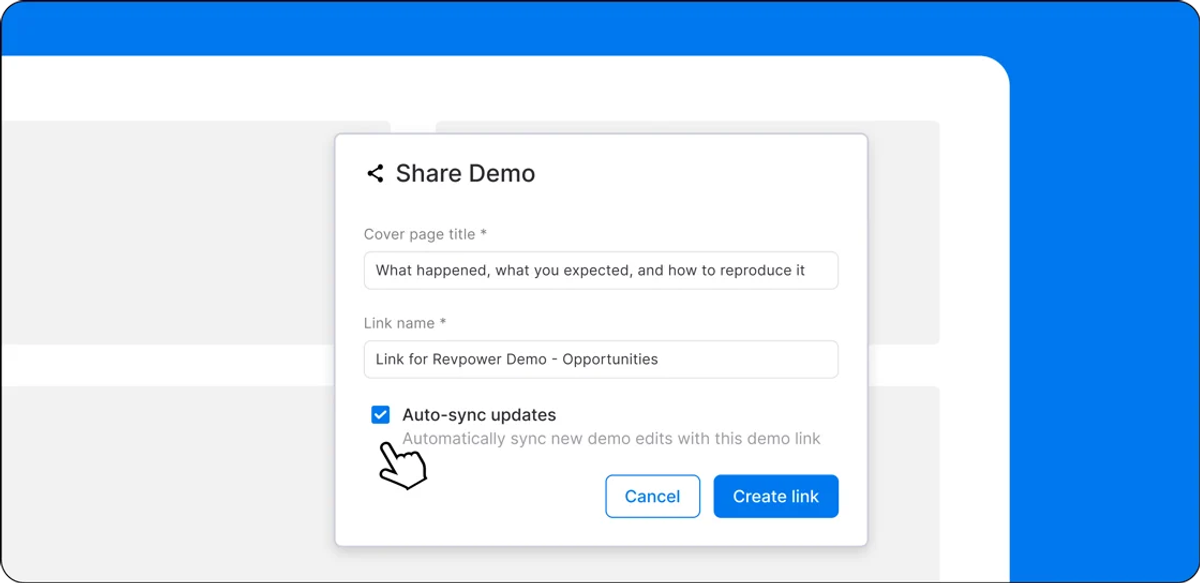
One Link That Doesn't Break When You Iterate
Every high-velocity sales team has lived this: you push a demo update, and suddenly you're chasing down old share links, updating emails, and trying to figure out which version a buyer actually saw. It's a coordination tax that compounds fast.
Auto-Sync Demo Share Links eliminates that loop. When teams add new variables or make updates inside a sandbox, the share link updates automatically. Buyers always see the latest version, reps keep one stable link in circulation, and iteration happens freely behind the scenes.
A couple of guardrails worth knowing: changes to existing variables don't auto-sync yet, and links created from live demo presentations remain unchanged. But for teams running high-volume iterations across a live pipeline, this removes a genuinely painful coordination step.
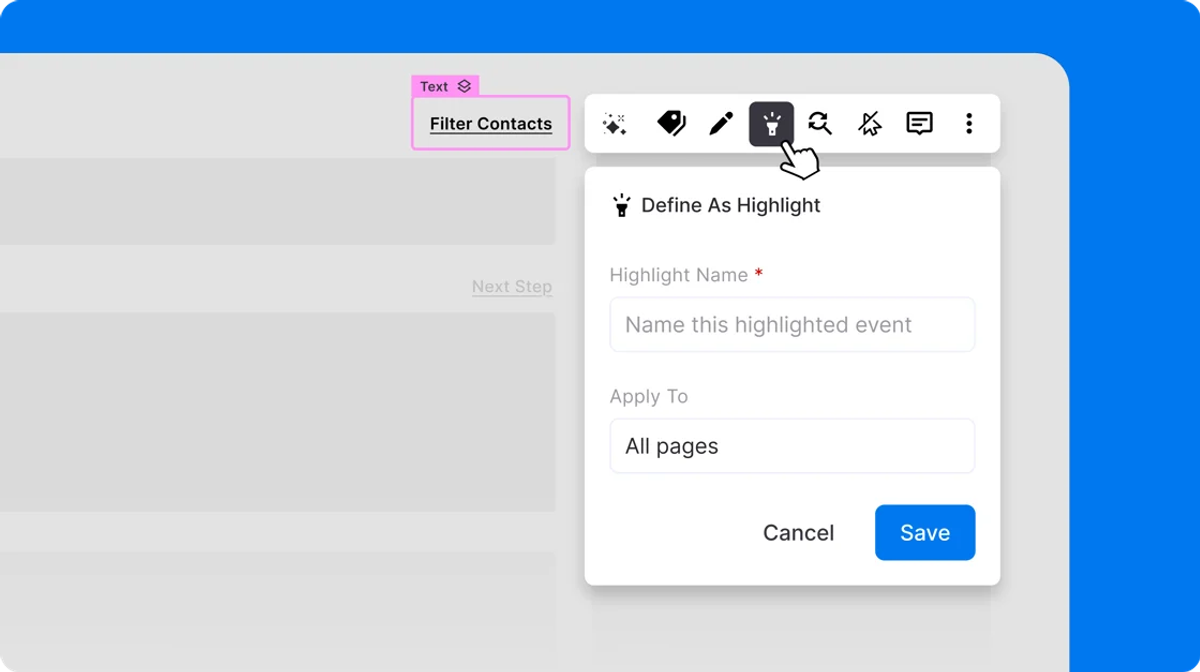
Stop Guessing Which Demo Moments Actually Matter
Time-spent metrics are easy to collect and hard to trust. A buyer spending three minutes on a slide tells you almost nothing about intent. What you actually want to know is what they clicked, what they skipped, and which moments made them lean in - because that's what shapes a good follow-up.
Demo Highlights gives teams exactly that. You define the interactions that matter - specific clicks, views, or actions - and Demostack tracks them. After a session, you can see which highlights a buyer reached and build follow-up around what they actually engaged with, not what you assumed they cared about. Setup happens directly inside the builder, with no extra tools or configuration steps slowing things down.
For deal teams, the difference is real: outreach grounded in buyer behavior versus outreach built on optimism.
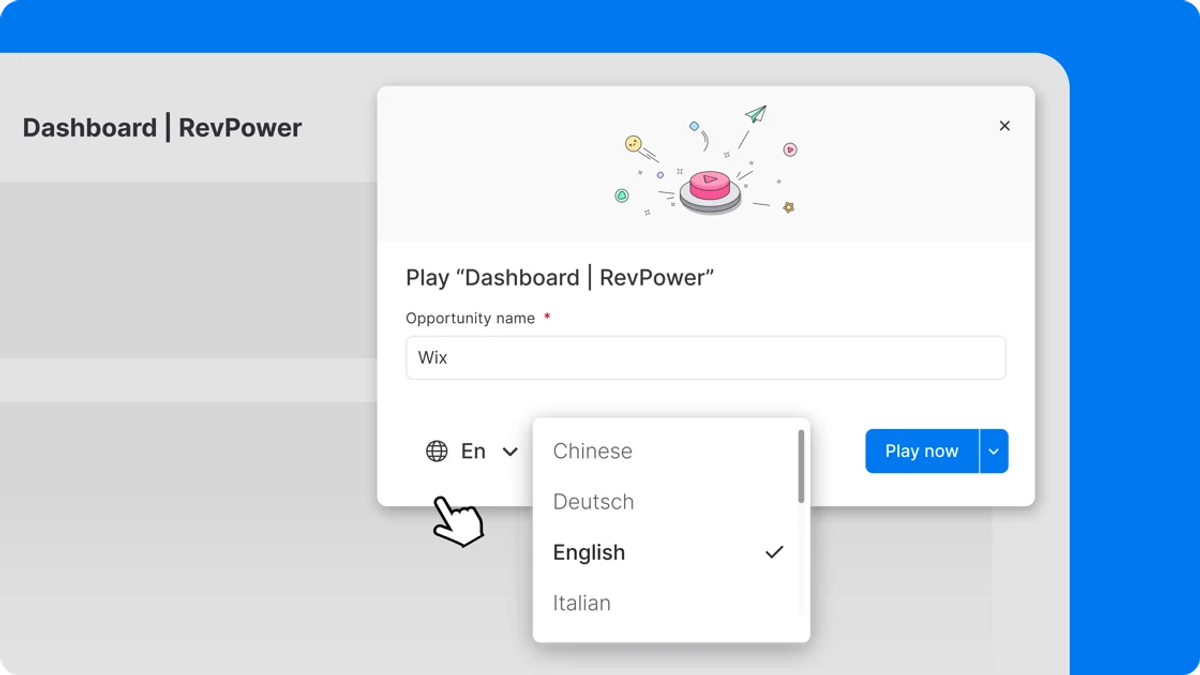
Global Teams, Without the Localization Headache
Most global revenue teams have lived this tradeoff at some point - wait weeks for a localized demo, or ship something that feels slightly off for the region. Neither option is great, and both cost deals in markets where credibility matters from the first slide.
Global Translation flips that dynamic. With a single click, teams can localize demos into ten languages. Admins maintain narrative consistency and governance at the center, while regional teams move at their own pace - no forks, no duplicate demo libraries, no waiting on a localization queue.
Demos now travel as easily as the products they represent.
The API: Demos as Infrastructure, Not a Side Task
At enterprise scale, manually staging demos for every new opportunity is a bottleneck that doesn't get better over time. The teams running the most efficient demo programs already treat demos like pipeline infrastructure - triggered, tracked, and managed through the same systems that run the rest of their GTM motion.
The Demostack API makes that possible for any team. Auto-provision demos when opportunities hit a certain stage in your CRM. Manage demo access programmatically. Reduce manual setup across large account volumes - all without leaving the systems already running your pipeline.
With this release, Demostack moves from "demo tool" to core GTM infrastructure, and for enterprise teams operating at scale, that's a meaningful shift in how the platform fits into their workflow.
The Bigger Picture
Each of these updates solves a specific problem. But taken together, they're pointing in the same direction: a demo workflow built for real enterprise conditions — not ideal ones.
Faster prep. Cleaner delivery. Smarter follow-up. Less coordination overhead. More signals from every buyer interaction. And a platform that connects to the systems your team already depends on.
If any of these hit close to home, the fastest way to understand the impact is to see it running on your actual demos.
Book a 30-minute demo → No pitch deck, no canned walkthrough. Bring your current demo setup and see exactly how these features change your workflow.